$ less ~/blog/adding-compass-local-dev-environment-lando.txt
-rw-r--r-- ana Sep 13 2020 adding-compass-local-dev-environment-lando.txt
ARCHIVED · written in 2020. Kept as it was; some of it may be out of date.
Adding Compass to a local dev environment with Lando

I have a very short tale to tell today. One of my coworkers asked me to set up a Lando dev environment for him, with the possibility to run Compass commands from within the Lando containers.
This makes sense, either with Compass or anything else, it’s good to have the functionality in a Docker container. All developers will have the same version of the tool and they won’t be forced to install it separately in their computers. Yay!
So here’s how I did it.
I first took a look at how our designer (the only one with the Compass tool installed) compiled the Sass into Css files. He was indeed using Compass. So I googled “how to install compass on linux”, and I found out I needed to install Ruby first. Long story short, I listed everything I needed to install and tried it first from inside the Lando containers.
I’ll explain my train of thought, since I think it might help you understand how I got it working.
I can google how to install anything on a Linux computer, but I have to translate that to our Lando file somehow. As a first step, and to figure out what I was dealing with, I accessed the terminal of my container as root by running
lando ssh -u rootI had to do it as root, since I was going to try installing a bunch of stuff.
After that, I tried every one of all the needed steps, as if it were my linux computer.
apt update -y

apt install ruby-full -y

gem install compass
Since those succeeded, I went ahead and added them to a script, to be able to run them automatically after building Lando (here is some doc about that).
On how I did that
The equivalent of going in manually through the ssh command and installing things, would be to call the script with the build_as_root build step, like this:
services:
  myservice:
    build_as_root:
      cmd: /app/my_compass_installer.sh
Mainly because it runs after Lando has created the containers and also because it runs as root.
As you can see, I’m just calling a script (which is the recommended way to run these kind of commands) and in that script, I just entered all the same commands I tested manually from inside the container (plus another few):
#!/bin/bash

# Install ruby

apt update -y

apt install ruby-full -y

#Install Compass

gem install compass

#Install Compass dependencies

gem install sass-globbing

gem install susy

gem install breakpoint

gem install compass-rgbapng
After this, I rebuilded my containers by running
lando rebuild -yAnd paid careful attention to the output in the console. No errors, seemed it was good to go. Just be sure, I accessed the container via ssh once more and checked if ruby and compass were installed
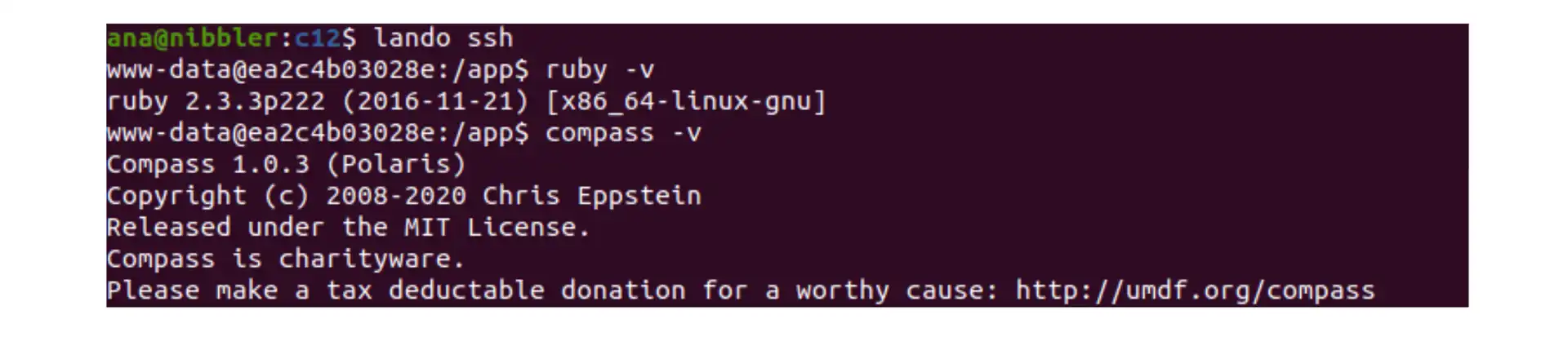
So far so good!
Finally, I added a tooling alias to be able to run Compass from my computer (instead of going into the container as I showed you earlier). Here’s my .lando.yml file:
name: my_project

recipe: drupal7

config:
  webroot: docroot

services:
  appserver:
    build_as_root:
      cmd: /app/my_compass_installer.sh

tooling:
  compass:
    service: appserver

    description: Runs compass within Lando.

    cmd: compass

    level: app
And now I have it, I just have to run
lando compass compileFrom the directory with the config.rb file (as I would normally do with Compass as well).
I hope this helps anyone!
Have a great day!