$ less ~/blog/script-read-drupal-planet-rss.txt
-rw-r--r-- cesar Sep 20 2012 script-read-drupal-planet-rss.txt
ARCHIVED · written in 2012. Kept as it was; some of it may be out of date.
Script to read Drupal Planet RSS
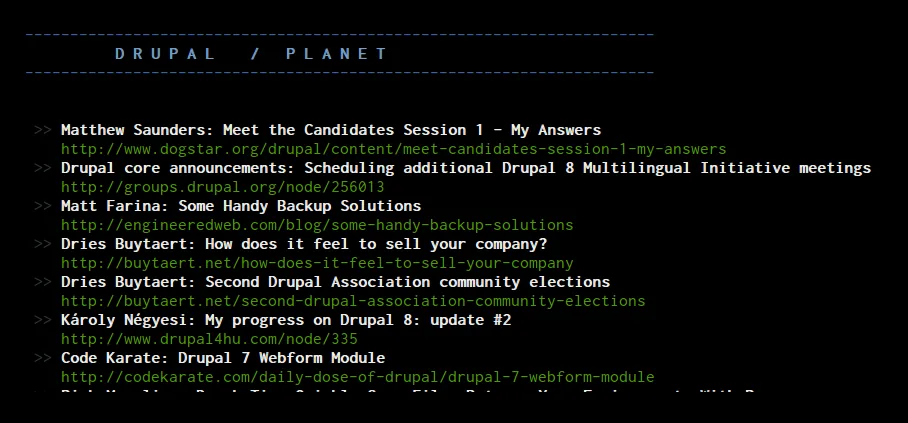
I was playing around and wanted to have a command line interface script to see the latest titles from Drupal Planet. I wipped this Python script to read and display the RSS feed. You need to install feedparser (in Ubuntu: $ sudo aptitude install python-feedparser). Here’s the code:
import feedparser

def color(this_color, string):
    return "\033[" + this_color + "m" + string + "\033[0m"

print
print color('34', '-' * 70)
print color('1;34', ' ' * 10 + 'D R U P A L    /   P L A N E T')
print color('34', '-' * 70)
print

python_wiki_rss_url = "http://drupal.org/planet/rss.xml/"
feed = feedparser.parse( python_wiki_rss_url )

for item in feed['items']:
    print color('30', ' >> ') + color('1;37', item['title']) + '\n    ' + color('32', item['link'])
To run it:
$ python planet.py
You can save it in ~/bin and create an alias with: $ alias planet='python ~/bin/planet.py' and execute it simply from the CLI with: $ planet
Here’s how it looks: